Make the video
you imagined.

Learn AI character editing and filmmaking.
From source footage to your final cut.

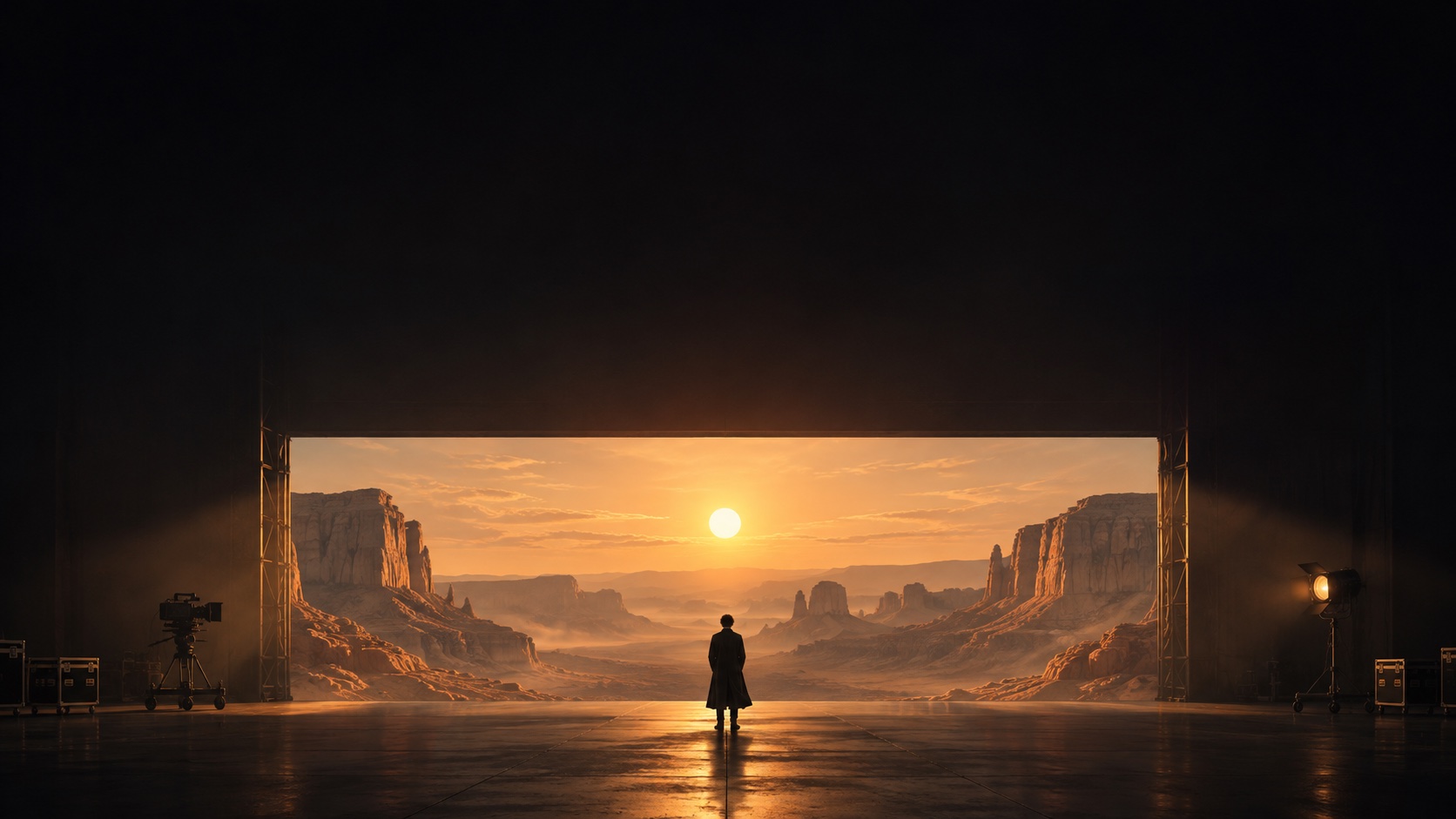
A director facing an amber-lit desert through a monumental portal on a dark soundstage

Choose your path

Start with an edit.
Or build the whole film.

Two courses. One-time launch prices.

Launch offer Design preview

Launch pricing ends in

After the offer: $249 / $499

04Days
16Hours
38Minutes
52Seconds
Transform existing footage

AI Character
Editing

Finish a character replacement with clear references, precise prompts and a repeatable review process.

Self-paced video lessons English

Launch price$249$99 USD / one time
  • Object Swap & Motion Transfer workflows
  • Character references with clear image roles
  • Model comparisons, pricing & prompt checks
  • Pre-generation checks & error diagnosis
  • Explained examples & project resources
  • Personal student space & lesson library
Lifetime course accessOnline Q&A · send questions 24/71 month of personal guidance
Includes AI Character Editing

AI
Filmmaking

Build a connected film sequence: plan the shots, guide the camera and finish the edit.

Self-paced video lessons English

Launch price$499$199 USD / one time
  • AI Character Editing included
  • Blender scene blocking & camera planning
  • Shot prompts & continuity checks
  • Model comparisons & generation budgets
  • Editing, colour & sound workflow
  • Personal student space & lesson library
Lifetime course accessOnline Q&A · send questions 24/71 month of personal guidance

One-time USD price, lifetime course access and one month of Q&A guidance.

Inside the courses

The whole workflow.
One clear step at a time.

See the source, the references, the prompt and the reasoning behind each decision. Compare models by quality and cost. Learn what to change when a result misses the mark—and what to check before spending more credits.

01 Know what to fix before you generate

A difficult source clip can cost you credits before the prompt even has a chance. Learn to spot hidden faces, fast turns, overlapping bodies and camera cuts, then choose Object Swap or Motion Transfer for the change you actually need. Use a pre-generation checklist to decide what to keep, prepare or replace.

Your advantage: a reason for every setup choice, before you spend on a render.

02 Build a character the model can read

A sharp photo is only the beginning. Learn how to make the face, body proportions, outfit and relevant angles agree across your references. We explain when to use a close-up, a full-body image or a reference sheet, and how to spot conflicting details that can make a character drift between frames.

You’ll build: a reference set with a clear role for every image, ready to pair with your prompt.

03 Write prompts with fewer costly contradictions

Work from an explained prompt structure: who changes, which reference belongs to whom, what must stay, and how to describe the action. See how vague wording and competing instructions can affect the result. Learn what to simplify or clarify before rerunning, so you can adapt a prompt to your own clip instead of copying it blindly.

You’ll keep: reusable prompt examples and a check for missing or conflicting instructions.

04 Diagnose the error. Change the right thing.

When the face, outfit or hands go wrong, a longer prompt is not always the answer. Follow a review process to identify whether the likely cause is the source, the reference or the instruction. Change one thing at a time, test the uncertain part first and choose when to stop generating and finish in the edit.

Your advantage: a troubleshooting process that helps reduce blind retries and wasted generation credits.

See the difference

Recast a moment.
Create a world.

Two different starting points. See which creative path fits the videos you want to make.

AI Character Editing$99 USD

Keep the action.
Change the character.

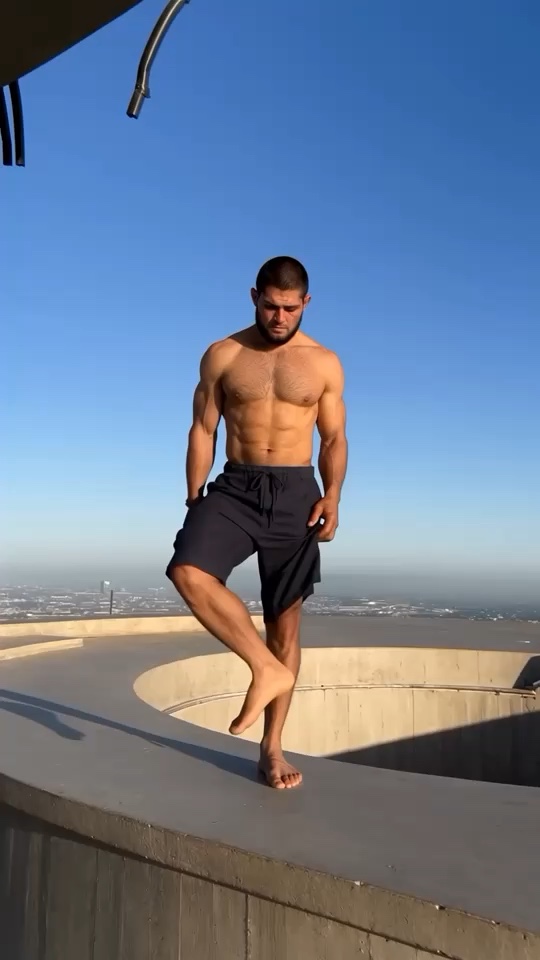
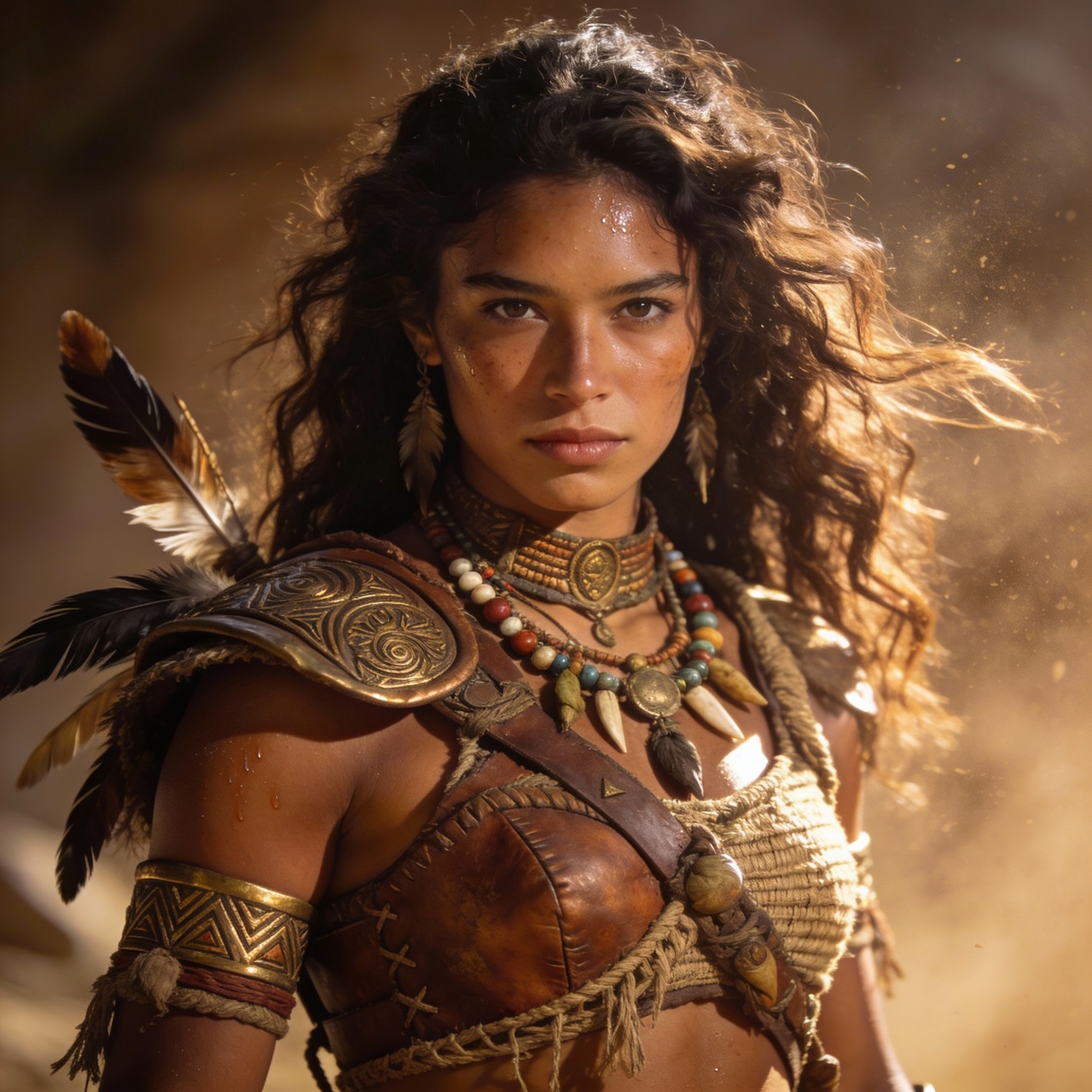
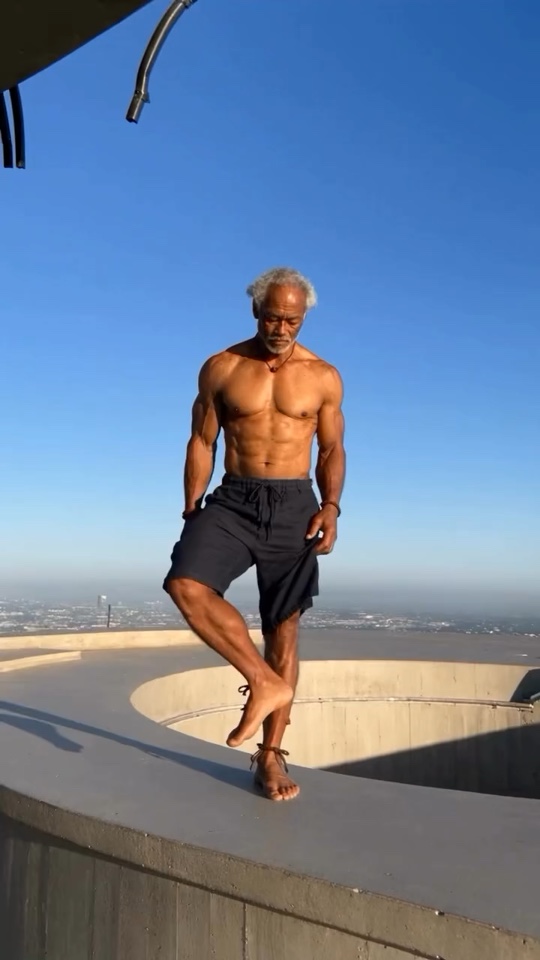
Original source footage: the performer before character replacementAI character edit of the same frame with the replaced character

Start with a real performance. Prepare the character reference and guide the replacement while keeping the scene and movement in view.

65.8MInstagram viewsWatch the original Reel
Infinity Films character edit · views checked Nov 12, 2026See the comparison
AI Filmmaking$199 USD

Build the references.
Direct the scene.

War elephant study reference 1War elephant study reference 2War elephant study reference 3War elephant study reference 4

See the result. Learn the decisions behind it. Build useful references, plan scenes in Blender, direct the camera and refine each shot into a connected sequence.

Explore all examples

7 creator edits · 95.3M Instagram views · 87.6M Facebook views. Explore both workflows.

Before you choose

A few things to know.

What you learn, what you receive and how access works.

Which course should I choose?

AI Character Editing — $99 USD: choose this for transforming existing footage. Learn source preparation, Object Swap and Motion Transfer workflows, character references, prompt structure and result diagnosis.

AI Filmmaking — $199 USD: includes the complete Character Editing course plus story development, Blender scene and camera planning, visual continuity, scene generation and the final edit. You do not need to buy both courses separately.

Will I learn to write prompts for my own videos?

Yes. Work through an explained structure for the subject, reference-image roles, action, camera and details that must remain consistent. Learn to identify vague wording, competing instructions and missing information before generating.

The aim is to understand and adapt a prompt to your scene. Both courses include prompt examples with the reasoning behind them, so you can make informed changes instead of copying a long prompt without knowing why it works.

How does the workflow help reduce wasted credits?

Both courses cover checks before generation: source suitability, useful character angles, matching references, prompt clarity and the part of the shot that is most uncertain. Learn when a short, focused test can answer a question before a larger generation.

After a render, use a review worksheet to identify the likely cause, change one variable and track what improved. This helps limit avoidable retries. AI outputs still vary, and generation credits are paid separately.

What practical materials are included?

Video lessons, explained prompt frameworks, character-reference examples, a preparation checklist, a generation-review worksheet and worked project materials. Follow how the inputs connect to the result and practise the same decisions on your own clip.

AI Filmmaking adds story and shot-planning worksheets, continuity checks and a workflow for selecting takes, editing, colour and sound. Its purchase also gives you all Character Editing materials.

Where do I watch the lessons after purchase?

Your personal student space brings your purchased courses, video lessons, prompts, references and learning resources together. Both course lists are together on one page. Open an available lesson and revisit its video, prompt and files at your own pace.

Use Contact support inside your student space, or ask about a specific lesson from its lesson panel. Your first month includes personal Q&A guidance while you put the workflow into practice.

Do I need previous experience or paid tools?

Character Editing starts with the fundamentals: source selection, character references and prompt preparation. AI Filmmaking adds shot planning and simple Blender scene blocking; basic familiarity with a video editor is helpful.

You use your own AI platform account and generation credits. The course purchase covers teaching and the included learning materials. Use a computer for the practical workflow. AI Filmmaking also uses Blender for scene and camera planning. Choose a tool and credit budget that fit your project.

Is this a subscription, and how long is access?

Each course is a one-time purchase in USD. You keep lifetime access to the purchased course and included materials, with no monthly course fee.

Personal Q&A guidance is included for one month. Course access continues after that period. Relevant release notes and revisions published for your purchased course are included. New standalone courses are separate; coverage of every model or a specific update date is not promised.

What can I ask during the month of guidance?

Ask course-related questions about prompts, reference preparation, workflow choices or a result you are trying to improve. Include what you used, what you expected and what happened, so the team can help you identify a useful next step.

Online Q&A is open for messages 24/7 during your first month. Our team replies as soon as possible with help on your prompts, references or generation results. Lifetime course access continues after the guidance period.

How do I choose a model and keep up with new releases?

Both courses teach a practical comparison: use the same brief and references, then check quality, useful controls, generation price and the cost of retries. Learn what each model does well, where it struggles and which option suits your task and budget.

We follow relevant releases, review useful changes and share evaluated notes in your purchased course library. Dated comparisons help you judge new options. We do not promise that one model is always best or that every release will receive an immediate lesson.

Why use Blender before generating a scene?

AI Filmmaking shows how simple Blender scene blocking can clarify subject positions, scale, framing and camera movement before generation. Compare planned and unplanned setups, prepare visual references and spot composition problems before spending on AI renders.

Blender gives you more control over the visual plan and continuity. It is useful when a scene needs precise staging; it does not guarantee a successful AI result or replace testing and review.
Bring your ideas
into the frame.

Explore courses

Infinity Films · AI character edit

USD · one-time purchase
Continue

Send questions anytime. Our team replies as soon as possible.

Your project & what you need

Your course project

Best for
Starting level
You will use
Format
Models, pricing & updates

Choose with a clear comparison

Keep your workflow informed

Preview the model-comparison worksheet
What you will learn
Lessons & resources
Access & guidance

Your personal student space

Your purchased videos, prompts, references and resources together, ready to revisit at your own pace.

Lifetime course access.
One month of online Q&A. Send course questions 24/7; our team replies as soon as possible.

Explore the full curriculum